今天下午想使用Ubuntu的时候,突然发现Ubuntu系统进不去了,出现
1 | Kernel Panic - not syncing: VFS: Unable to mount root fs on unknown-block(0,0) |
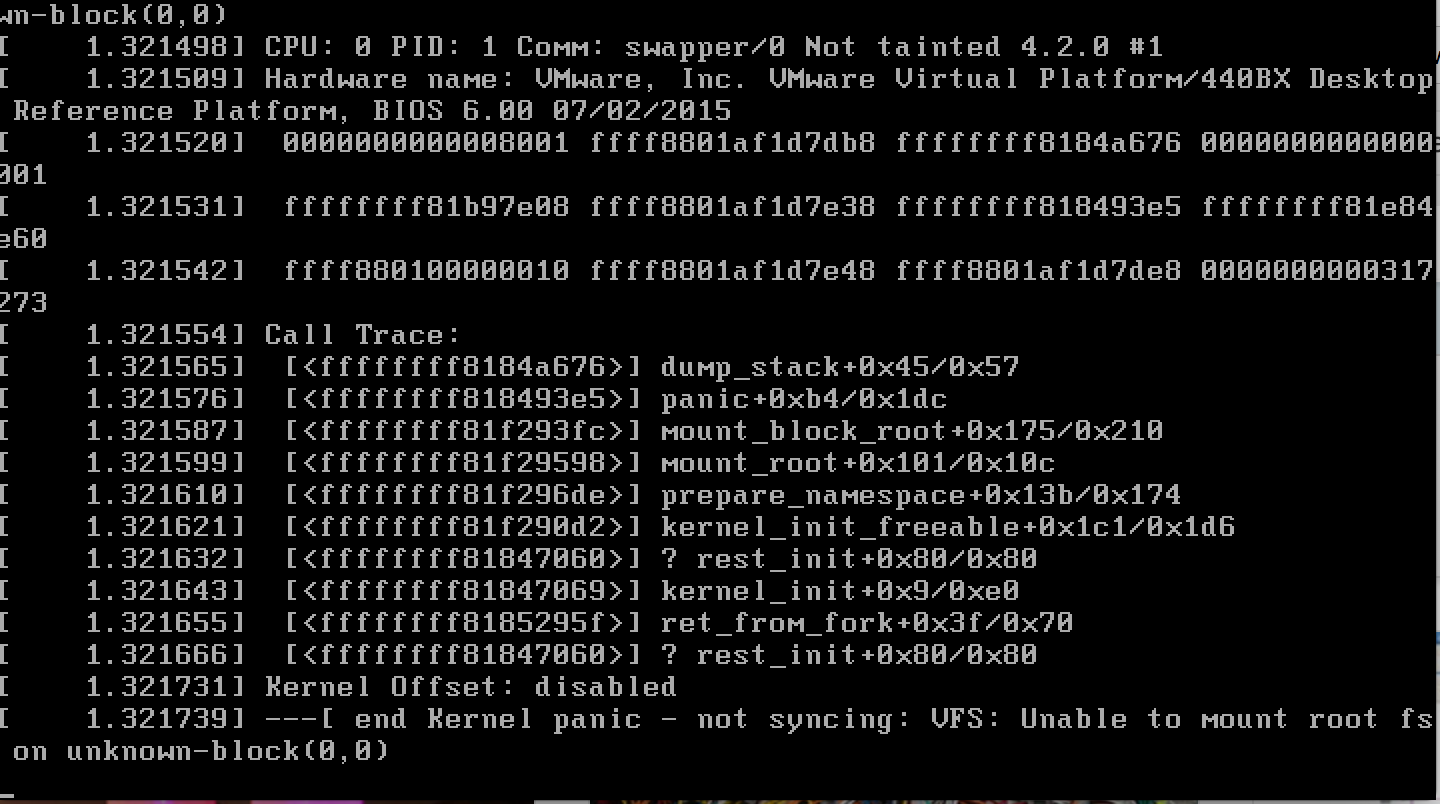
双系统中windows没有收到影响,但是Ubuntu确实怎样也进不去,只能进入grub中,但是对于grub又不了解,折腾了半天,断电了好多次,还是没有办法,只好重装系统了。前面也有次是这样的,不了解grub,不了解linux启动的顺序,导致只能重装系统,因此,这次教训之后,准备认真了解一下grub和linux启动的顺序原理。
了解Grub
1 | grub rescue>root=(hd0,x) |
- insmod [module]
Insert the dynamic GRUB module called module.
按照需要加载grub的动态模块.例如:1
initrd normal
内核版本号 -xxx-xxx可以按Tab键查看后再手动补全。
加载normal模块[需要normal.mod模块在目录grub/i386-pc下]。
- root=/dev/sdax root (hd0,1)
root 通常是指主 Linux 分区,将后面这些分区设为linux主分区。
- linux
Load a Linux kernel image from file. The rest of the line is passed verbatim as the kernel command-line. Any initrd must be reloaded after using this command (see initrd).
从文件中加载一个linux的镜像,这一行之后的命令都会按照字面意思被当做内核命令运行,比如说这里设置root=/dev/sdax,将/dev/sdax当做设备主分区。initrd必须在linux/kernel命令之后执行。
- initrd /boot/initrd.img-xxx-xxx
Load an initial ramdisk for a Linux kernel image, and set the appropriate parameters in the Linux setup area in memory. This may only be used after the linux command (see linux) has been run. See also GNU/Linux.
加载Linux格式的初始化虚拟盘。
kernel /vmlinuz root=/dev/hda5
尝试载入主引导影像文件。其它项将被作为内核的命令行参数而传递给内核。使用此命令以前,内核所用到的模块应该被重新载入。
Vmlinuz是内核。它从GRUB的根文件系统载入的,如(hd0,0),(hd0,5)。同时,后面一个选项被传给内核。这里它指出当Linux内核载入时,内核的根文件系统应该是位于hda5,第一个IDE硬盘的第五个分区。chainloader +1
Load file as a chain-loader. Like any other file loaded by the filesystem code, it can use the blocklist notation (see Block list syntax) to grab the first sector of the current partition with ‘+1’. If you specify the option –force, then load file forcibly, whether it has a correct signature or not. This is required when you want to load a defective boot loader, such as SCO UnixWare 7.1.
将指定的文件作为一个链式装载程序载入。为了获取在一个指定分区第一 扇区内的文件,使用+1作为文件名。这个命令一般在装在windows系统的时候使用,因为像linux ,kernel命令,加载的就是系统镜像,但是windows系统加载进来的部分就有自身的引导程序,所以,接下来的交给windows引导程序完成加载。
- boot
引导先前已经被指定并载入的操作系统或链式装载程序。
Grub修复引导
遇到不能进入系统,但是系统文件都没有什么问题的,可能只是引导项出问题了,比如说分区变更了或者uuid不对了,这个时候只需要使用grub重建引导项,分两种情况:
- 只能够进入 grub rescue模式:
寻找到linux系统的位置,假设为(hd0,msdos7),那么可以设置linux的主分区 1,2行,然后找到grub,设置prefix,3,4行,之后加载grub的normal模块,这样,就能够进入到grub的正常模式(6行)。1
2
3
4
5
6grub rescue>root=(hd0,msdos7)
grub rescue>prefix=/boot/grub //grub路径设置
grub rescue>set root=(hd0,msdos7)
grub rescue>set prefix=(hd0,msdos7)/boot/grub
grub rescue>insmod normal //启动normal启动
grub rescue>normal
进入grub模式后,进入2。
- 进入grub模式
1 | 按c键进入命令指示符模式 |
1行设置linux的主分区,2设置grub的路劲,3,4行负责加载linux的镜像,最后引导。